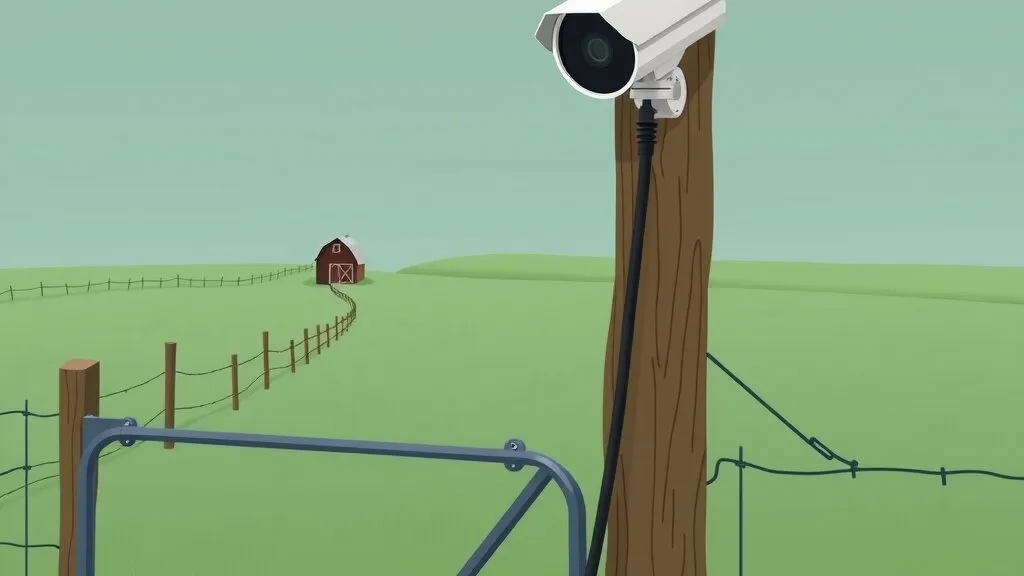
If you’ve ever designed cameras for a ranch, a farm or a big rural parcel, you know the problem. The gate camera you actually need is 300, 500, maybe 700 meters from the nearest building with power and a network. Copper Ethernet tops out at 100 meters. So you end up choosing between trenching fiber and putting power out there, a wireless bridge, or a solar pole.
This week Ubiquiti announced UniFi Long-Range PoE Switching, which goes straight at that problem: one Ethernet cable, power and data, up to 800 meters. I’ve read through the announcement, the spec sheet and the early coverage, and it’s a genuinely useful tool. It also comes with trade-offs you need to plan around before you pull 800 meters of cable.
What Ubiquiti announced
There are two pieces, and you need both:
- Long-Range Switch 8 PoE (USW-LR-Switch-8-PoE): eight long-range PoE+++ ports, each able to deliver up to 90 W, with a 630 W total PoE budget.
- Outdoor Long-Range Endpoint (UACC-LR-Endpoint): the box at the far end of the cable. Ubiquiti says it’s required for long-range performance, one per long-range port. It’s rated IPX5, has 3 kA / 6 kV surge protection, is specified for -40 to 60 °C, and has two ports: one takes the long-range cable from the switch, and one PoE output powers the device at the far end. If you need more than one device out there, put a small switch after the endpoint and count its draw in your power budget.
The 800 m figure assumes UniFi’s own outdoor Ethernet cable.
📝 Note: this isn’t the older UniFi Long-Range Ethernet Repeater (UACC-LRE). That’s an inline repeater you place along a run, and each segment still has to stay within normal Ethernet limits. The new switch-and-endpoint pair is a different approach.
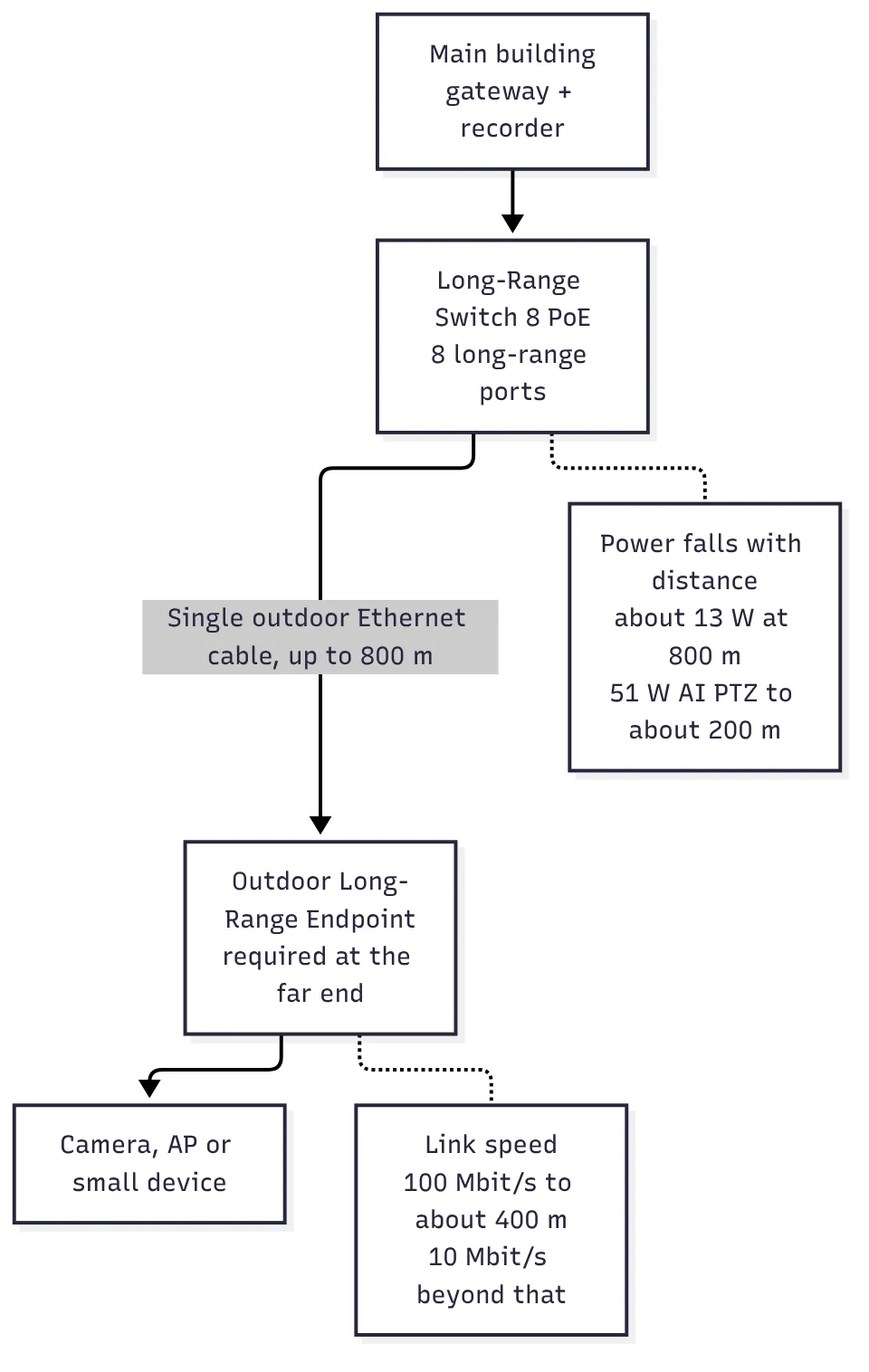 How a long-range run fits together, with the two limits that matter most.
The fine print: power and speed both drop with distance
This is the part to read twice. “90 W per port” and “800 meters” are both true, but not at the same time.
Power. Available power at the endpoint depends on how far away it is. At the full 800 m, a device can draw at most about 13 W. Ubiquiti’s own example is the UniFi AI PTZ, which needs 51 W and is supported only out to about 200 m. So a fixed camera at the far end of a long run is realistic. A PTZ with heaters and IR, or a camera plus an access point plus a light, probably isn’t.
Speed. The long-range ports run at Fast Ethernet speeds at best. With the endpoint, the switch usually negotiates 100 Mbit/s out to about 400 m, and beyond that it drops to 10 Mbit/s. The whole switch has 3.6 Gbit/s of switching capacity.
For a camera, 100 Mbit/s is plenty. 10 Mbit/s is where you have to start doing arithmetic, especially if you want a high-resolution main stream and a sub-stream from the same camera, or several devices sharing the link through a small switch at the far end.
How I’d plan a long camera run with it
Before ordering anything, I’d work through these for each run:
- Measure the real cable path, not the straight line. Cable follows fence lines, trenches and conduit. A gate that’s 350 m away as the crow flies can easily be more than 400 m of cable, and that’s the line where your link speed changes.
- Add up the power at the far end. Look at the maximum draw on each device’s spec sheet, including IR and any heater, not the typical draw. Then compare it to what Ubiquiti’s distance table says the endpoint can supply at that length.
- Add up the bitrate. In UniFi Protect or whatever VMS you use, check what each stream actually runs at. Leave headroom; I don’t like planning a link past about 70% of its rated speed.
- Think about lightning and grounding. A long copper run across open ground is an antenna. The endpoint’s surge protection helps, but bond and ground both ends properly and put surge protection at the building end too.
- Compare it honestly to the alternatives. Fiber with power at the far end, a point-to-point wireless link or a solar camera pole may still be the better answer, especially if there’s already power out there, if you need more than 13 W at the full distance, or if there’s no clean path for a cable.
Here’s a small Python helper I put together to sanity-check a list of runs against the limits Ubiquiti has published. It deliberately only uses the published data points; anything in between is flagged for you to check against Ubiquiti’s distance table rather than guessed.
#!/usr/bin/env python3
"""Sanity-check planned UniFi long-range PoE runs against published limits."""

from dataclasses import dataclass

MAX_RUN_M = 800
HEADROOM = 0.7  # plan to use no more than 70% of the link


@dataclass
class Run:
    name: str
    cable_m: float     # measured cable length, not straight-line distance
    max_watts: float   # max draw of everything powered from the endpoint,
                       # including any small switch after it
    mbps: float        # sum of all stream bitrates on the endpoint


def link_speed(cable_m: float) -> int:
    """Typical negotiated speed with the Outdoor Long-Range Endpoint."""
    return 100 if cable_m <= 400 else 10


def power_check(run: Run) -> str:
    if run.max_watts <= 13:
        return "OK"                      # published: about 13 W at 800 m
    if run.max_watts <= 51 and run.cable_m <= 200:
        return "OK"                      # published: 51 W AI PTZ to about 200 m
    return "CHECK distance table"


def check(run: Run) -> str:
    if run.cable_m > MAX_RUN_M:
        return f"{run.name}: {run.cable_m:.0f} m is past the 800 m limit"
    speed = link_speed(run.cable_m)
    bw = "OK" if run.mbps <= speed * HEADROOM else f"TOO MUCH for {speed} Mbit/s"
    return (f"{run.name}: {run.cable_m:.0f} m, link ~{speed} Mbit/s, "
            f"power {power_check(run)}, bandwidth {bw}")


if __name__ == "__main__":
    runs = [
        Run("Front gate camera", 620, 9, 6),
        Run("Barn PTZ", 180, 48, 16),
        Run("Well house cam + AP", 450, 22, 12),
    ]
    for r in runs:
        print(check(r))
Running it with those example runs gives:
Front gate camera: 620 m, link ~10 Mbit/s, power OK, bandwidth OK
Barn PTZ: 180 m, link ~100 Mbit/s, power OK, bandwidth OK
Well house cam + AP: 450 m, link ~10 Mbit/s, power CHECK distance table, bandwidth TOO MUCH for 10 Mbit/s
The numbers in the example list are placeholders for your own measurements. Swap in real cable lengths, spec-sheet wattages and the bitrates your VMS reports.
Where I think this fits
What I like about this is that it removes a lot of complexity from a common rural job. One cable, no power at the far end, no radio alignment, no solar sizing, and it’s all managed in the same UniFi console as the rest of the network. For a single fixed camera at a gate or a gate intercom a few hundred meters from the house, that’s hard to beat.
Where I’d be cautious:
- High-draw devices, or several devices behind a small switch, at the long end of the range. The power budget shrinks fast.
- Runs that end up just over 400 m. Check whether 10 Mbit/s is really enough for what you’re putting out there.
- Sites with a good existing power source at the far end. Fiber and a small local PoE switch still give you gigabit and room to grow.
- Early firmware. This is a brand-new product line. I’d let it settle for a release or two before I put it on a job where the camera has to be up, and I’d keep an eye on the release notes.
The bottom line
UniFi Long-Range PoE Switching is a practical new option for the “camera way out at the gate” problem that comes up constantly on rural properties. Just plan it like a power-and-bandwidth budget, not like a normal Ethernet run: measure the real cable path, add up the watts and the megabits, and know which side of 400 m you’re on.
If you’re trying to figure out the best way to get eyes on a far corner of your property, whether that’s long-range PoE, a wireless link or a solar pole, take a look at our video surveillance and Ubiquiti ecosystem pages or get in touch.
Sources
- Introducing UniFi Long-Range Switching, Ubiquiti blog, October 26, 2026
- What’s New, Ubiquiti, “Introducing: UniFi Long-Range Switching” entry, October 27, 2026
- Long-Range Switch 8 PoE, Ubiquiti Store, accessed October 2026
- Outdoor Long-Range Endpoint, Ubiquiti Store, accessed October 2026
- Long-Range Switch 8 PoE tech specs, Ubiquiti, accessed October 2026