
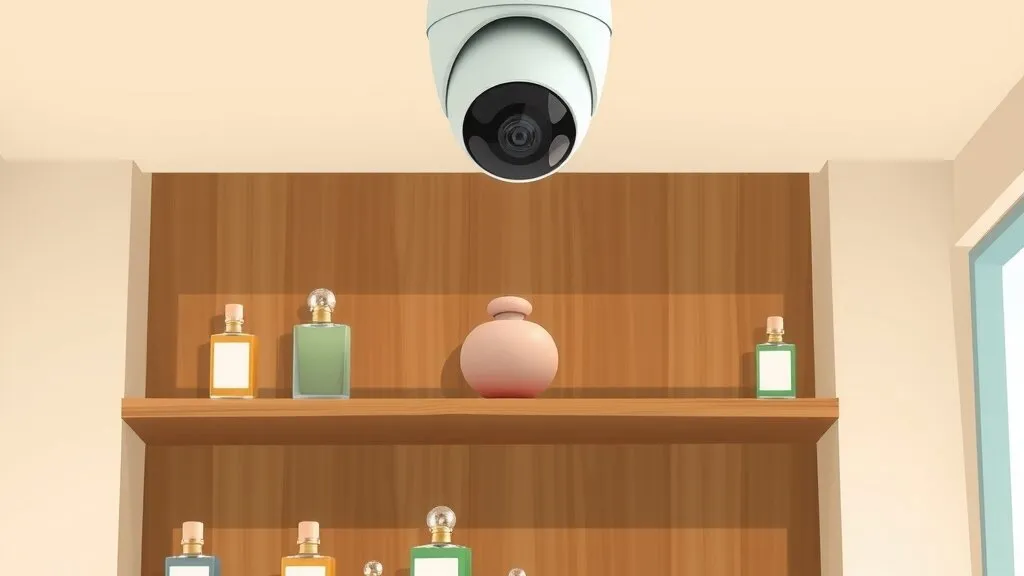
Most of what I write about here is rural: long wireless links, solar poles, cameras far from the nearest outlet. But a lot of our work is in town, for small businesses with a storefront and something worth protecting. This is one of those jobs, and it’s a good example of something people don’t always think about when they buy a camera system: what happens when the business moves.
Tulip Perfume Co. is a perfume boutique that crafts its own small-batch fragrances. They agreed to let us share how we worked together, and the full write-up is in our Tulip Perfume case study.
The problem: a showroom full of product
A boutique has an awkward security profile. The showroom floor is full of product that’s small and valuable, there’s an office behind it, and the space has to feel welcoming to customers, not like a warehouse. Tulip wanted two things:
- Protection from unauthorized break-ins, with clear recordings if one ever happened.
- Theft deterrence on the showroom floor.
That meant covering the entrances and exits, the showroom floor and the office. It also meant cameras that look tidy in a boutique ceiling, footage that’s easy to find and watch, and a way for the owners to check in from their phones.
Why the easy options don’t fit
When a shop owner first thinks about cameras, the usual options are a box of consumer Wi-Fi cameras or a system that sends everything to someone else’s cloud on a monthly plan. For a business, both have real downsides:
- Wi-Fi cameras usually still need power at every camera, and their recordings are only as reliable as the wireless network they’re on.
- Cloud-only recording depends on the shop’s internet connection, and it’s usually an ongoing subscription for every camera.
What I recommend for most small shops is wired cameras recording to a recorder in the building, with secure remote viewing on top. That’s what we built here.
What we did
Survey and design first
We started in November 2021 at Tulip’s McKinleyville location with a site survey. From that we designed the network: how the cameras connect and get power, where the recorder lives and how the camera system sits on the shop’s network. We documented it in a Layer 2 network diagram before drilling anything.
I’m a big believer in that step, even for a small job. A drawing of what plugs into what is what lets the next person (or you, years later) work on the system without guessing.
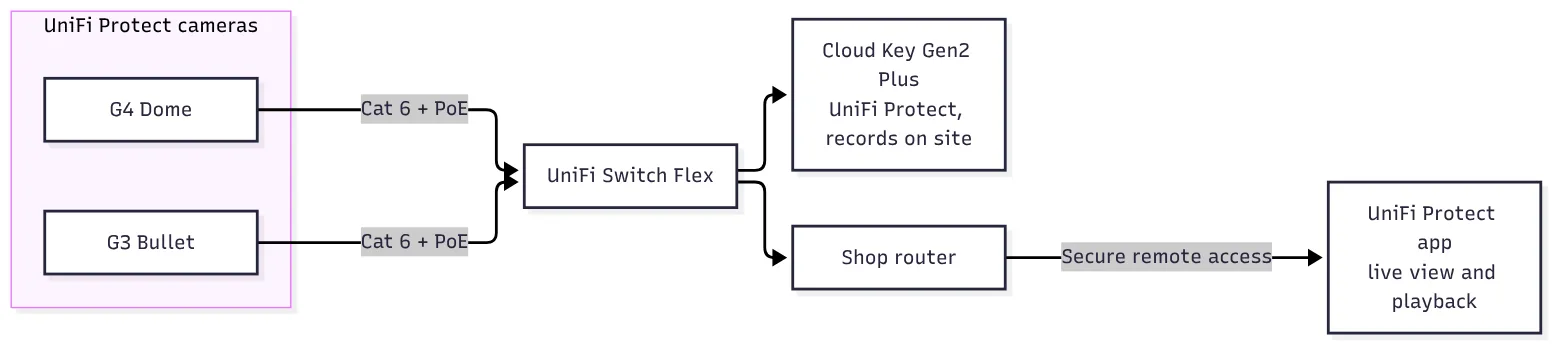 The system in one picture: cameras, one small PoE switch, an on-site recorder and remote viewing.
Working around the 2021 chip shortage
The original plan used UniFi’s entry-level G3 Flex cameras. In late 2021 the global chip shortage made them impossible to get from reputable suppliers, and the ones on offer elsewhere were selling for several times their usual price with no warranty.
We didn’t want to put gray-market cameras with no warranty in a client’s ceiling, so we went up a step to UniFi Protect G4 Dome cameras instead. It turned out to be a better fit for a boutique anyway:
- A vandal-resistant housing with an IK08 rating.
- 4-megapixel video at 24 frames per second, with infrared for night recording.
- A built-in microphone and speaker, so staff can talk to someone at the camera.
- A compact dome that blends into a ceiling instead of sticking out.
The system also uses UniFi Protect G3 Bullet cameras. Between them, the cameras cover the entrances and exits, the showroom floor and the office.
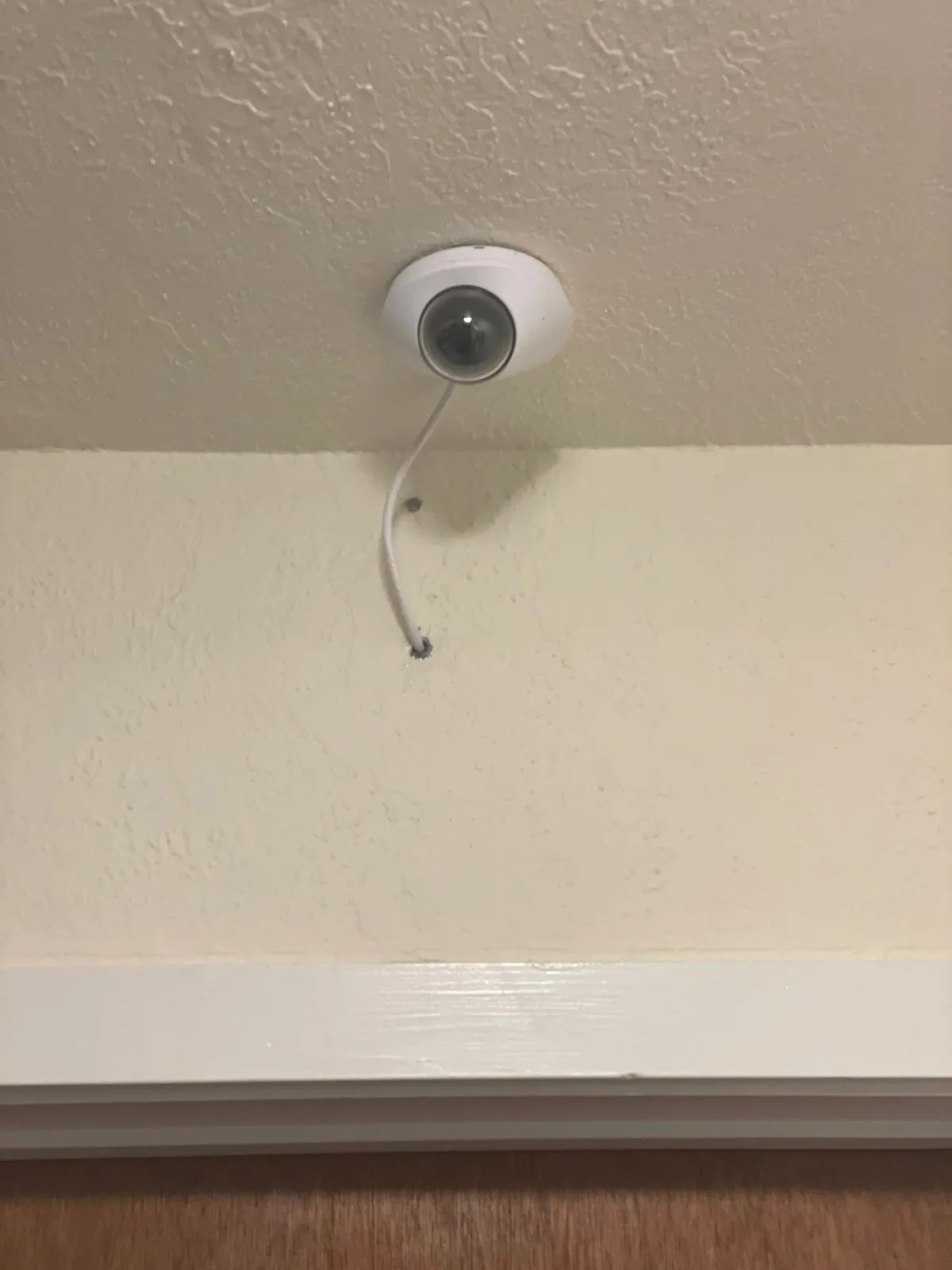 An indoor dome camera install of ours at a different site.
One cable per camera, recording in the shop
Every camera runs on a single Cat 6 cable to a UniFi Switch Flex, which powers it with Power over Ethernet (PoE). PoE means the same cable carries data and power, so there’s no power adapter or outlet needed at each camera. That’s a big part of why a wired system ends up looking cleaner than a Wi-Fi one.
Footage records to a UniFi Cloud Key Gen2 Plus running UniFi Protect. It’s a compact recorder with its own hard drive that’s easy to tuck out of sight. Video stays in the shop instead of in someone else’s cloud, and the owners still get secure remote access through the UniFi Protect app.
Training the people who use it
A camera system only helps if people know how to use it when something happens. We trained Tulip’s team on local and remote viewing: watching live, finding a specific moment in the recordings and checking in from a phone.
Then the business moved
In 2025 Tulip moved into a new location, a fresh build-out, and called us back.
This is where a lot of small businesses get stuck. The cameras and recorder are portable, but the cabling isn’t, and the new space has to be wired before the system can go back up. Because the new location was a build-out, we could do it properly from the start. We planned and installed structured Ethernet cabling for the new space, then moved the camera system onto it and reinstalled it.
The result is that Tulip kept the cameras and the app their staff already knew, running on cabling designed for the new space rather than improvised around it.
If you’re in the same spot
Whether you’re putting cameras in a shop for the first time or about to move, here’s what I’d think about:
- Start with a walk-through and a drawing. Decide what you need to see (doors, register, floor, office), then design the network around it. A Layer 2 diagram costs little and saves a lot later.
- Wire the cameras if you can. PoE gives each camera one cable for power and data, and a wired camera doesn’t depend on Wi-Fi.
- Record on site, view remotely. A local recorder keeps working when the internet doesn’t, and you can still check in from your phone.
- Don’t take a gray-market deal on security hardware. If a part is scarce, a different model from a reputable source beats an unwarrantied one.
- If you’re moving into a build-out, call before the walls close. Network cabling is easiest to do right while the space is open. Getting the camera and data runs into the plan early is what lets you move a system instead of starting over.
- Train everyone who’ll use it. The day you need footage is not the day to learn the app.
If you run a shop or office on the North Coast and want cameras that cover the doors and the floor, record in the building and work from your phone, we start with a walk-through of your space. Get in touch and we’ll talk it through.