
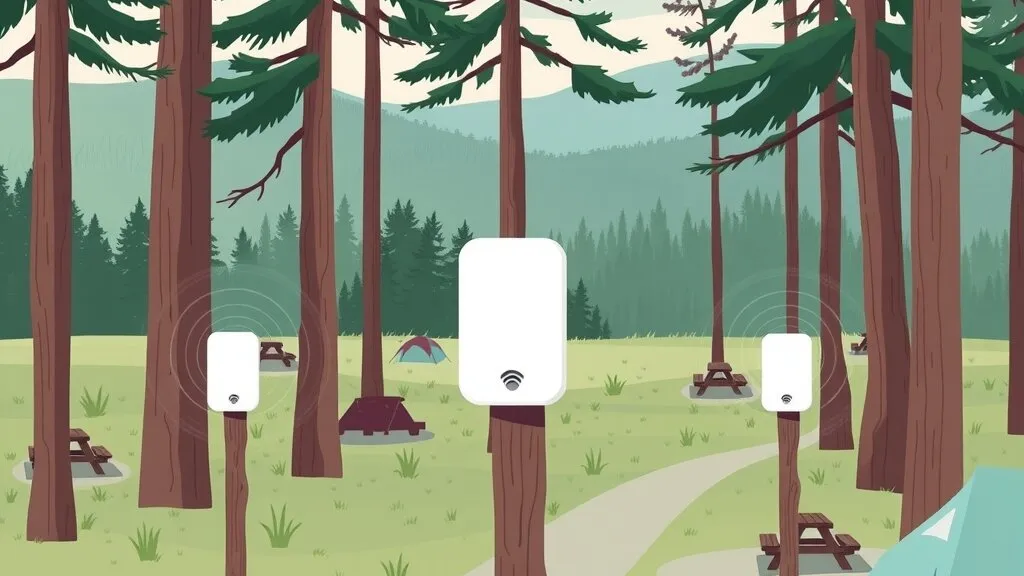
A month ago I wrote about how we got Elk Country RV Resort & Campground off slow satellite internet with a multi-WAN connection. That’s the pipe into the property. This post is about the other half of the job: getting that connection out to guests spread across a large campground, in a way that’s easy for them to use and easy for the resort to manage.
If you run an RV park, a campground, a rural lodge or any business where customers expect Wi-Fi across a big outdoor area, this is the pattern I’d follow.
The problem: lots of ground, lots of guests, one small staff
The resort’s request was simple to say and harder to deliver:
- Guests across the whole campground need Wi-Fi, not just near the office.
- It has to be easy to use. Guests shouldn’t need to call the front desk to get online.
- It has to be manageable. The resort’s staff are there to run a campground, not a network.
A campground is a hard place for Wi-Fi. Sites are spread out. Trees, terrain and the guests’ own rigs all get in the way. An RV is largely a metal box, which is close to the worst thing you can put between a guest’s phone and an access point. And unlike an office, the “users” change every few days and bring every kind of device you can imagine.
Why the obvious fixes don’t work
These are the shortcuts I see tried most often, and why they don’t hold up:
- “Put a stronger router in the office.” Wi-Fi is a two-way conversation. A powerful access point can shout across the campground, but a phone inside a trailer can’t shout back. Coverage at a distance has to come from access points placed near the guests, not from more power at one spot.
- “Add access points wherever people complain.” That’s how you end up with overlapping radios interfering with each other in one area and dead spots in another. Without a plan, every new access point can make something else worse.
- “Just put the password on a sign.” A shared password tells you nothing about who agreed to your terms, it ends up on social media, and changing it means updating every sign and every returning guest’s device.
- “Guests can share the office network.” This is the one that worries me most. If guest devices can see the office computers, the card terminal or the cameras, you’ve handed every stranger in the park a path to your business systems.
What we did
1. Surveyed the property zone by zone
We started the way we start every rural job: with a walk of the property. On our rural connectivity page I put it this way: terrain, trees, sky view and coverage change from one side of a hill to the other, so before we recommend anything, we measure.
For Elk Country we broke the campground into zones and surveyed each one, taking measurements at numbered points and walking survey paths between them. The result for each zone is a heatmap: signal strength shaded over an aerial view of that part of the property, with the access points marked.
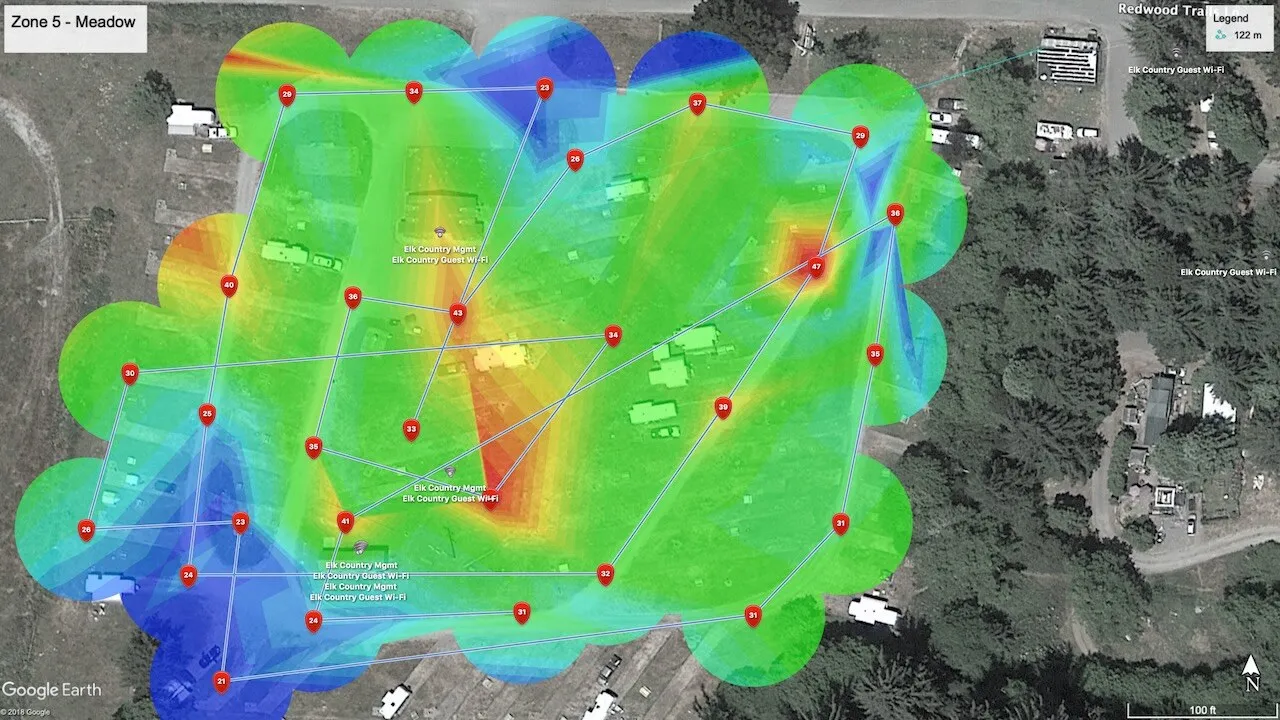 Wi-Fi survey heatmap for one zone at Elk Country RV Resort, shown with the resort’s permission. Aerial imagery © 2018 Google.
Why zone by zone instead of one big survey? Because the campground isn’t one environment. An open meadow and a loop under heavy tree cover behave completely differently, and a zone map makes it obvious where coverage is strong, where it falls off, and where the next access point would actually help. It also gives the resort a record. When someone says “the Wi-Fi is bad at site such-and-such,” you can pull up that zone’s map instead of guessing.
📝 Note: Survey before you buy hardware. The heatmap is what tells you how many access points you need and where they go. Buying first and surveying after is how budgets get blown.
2. Built a guest sign-in portal with the resort’s branding
Next, we built a guest Wi-Fi sign-in portal (often called a captive portal). When a guest joins the guest network, their phone opens a page before it lets them onto the internet. Elk Country’s has:
- The resort’s logo, so the sign-in page looks like part of the resort, not a generic router screen.
- FAQs, so the common questions are answered on the guest’s own screen instead of at the front desk.
- A terms-of-use checkbox, so every guest agrees to the rules before connecting.
- A Guest Access sign-in, the one button that gets them online.
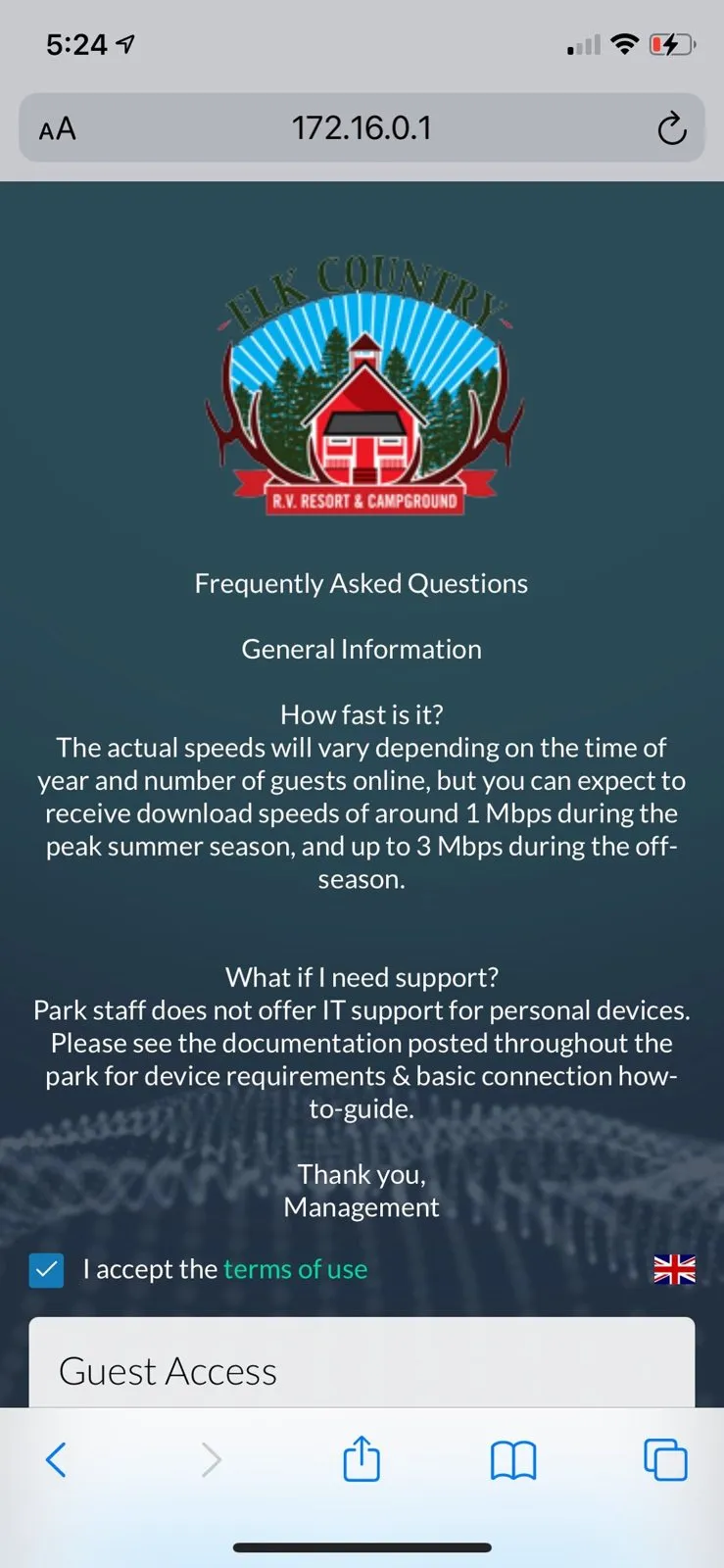 The guest Wi-Fi portal we built for Elk Country RV Resort.
This is what makes it “easy to use” for guests and “manageable” for staff at the same time. Every guest sees the same house rules and agrees to the same terms before getting online, and the common questions are answered on the page.
3. Kept guests and management on separate networks
Behind the portal, the resort’s management network and the guest network are separate. Guests get the internet. They don’t get a path to the resort’s own systems.
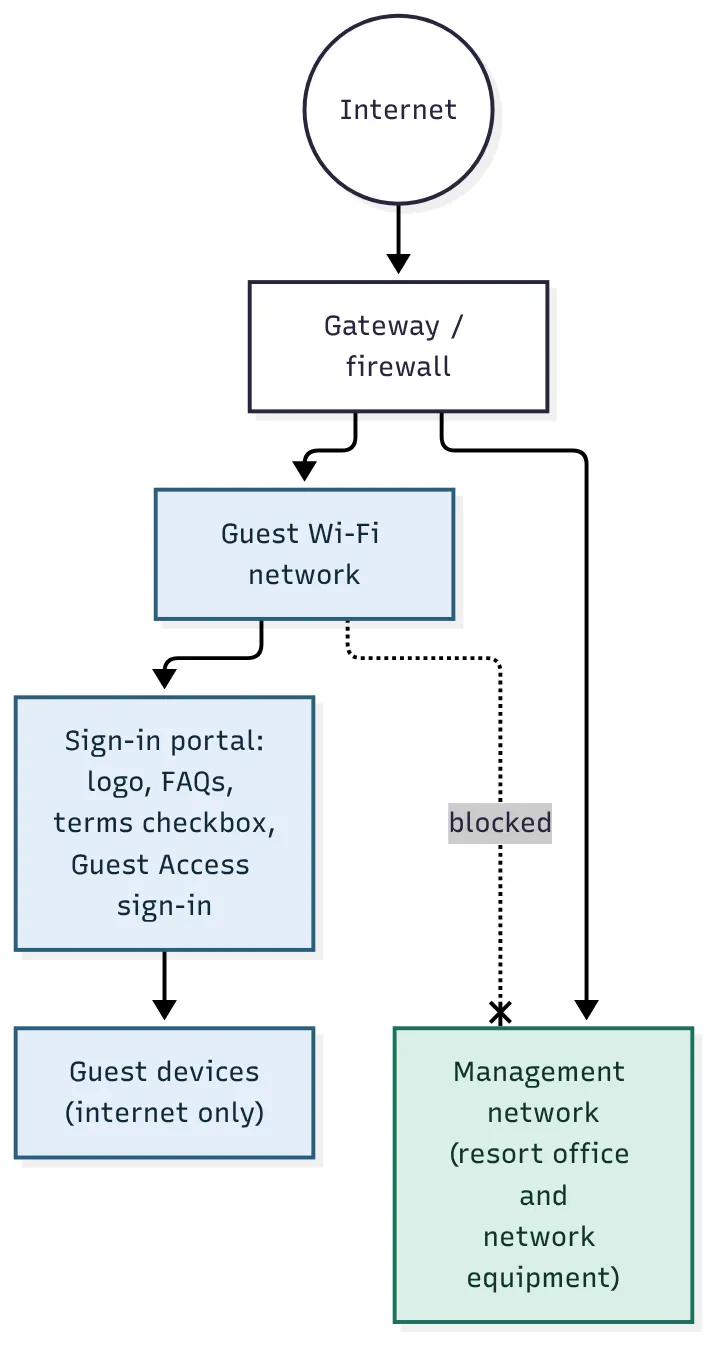 How guest and management traffic are kept apart. Simplified; it doesn’t show every device.
You can see the split on the survey map above, too: the access points are labelled for the management network and for guest Wi-Fi. Keeping them apart is the single most important security decision on a guest network, and it’s one of the first things I check when I look at someone else’s setup.
If you’re in the same spot
Here’s what I’d tell any campground, RV park or rural venue owner who wants guest Wi-Fi to work:
- Fix the uplink first. Guest Wi-Fi can’t be better than the connection behind it. If you’re on a single slow satellite link, start there. Our Elk Country multi-WAN write-up covers how we handled it.
- Get a real survey, zone by zone. Ask for the heatmaps, and keep them. They’re the map you’ll use every time something changes: a new loop, a new building, a tree that grew.
- Use a branded portal, not a password on a sign. Put your logo, your rules and your FAQs on it. It saves staff time and gives every guest the same clear terms.
- Separate guest and business networks. Your office computers, payment terminals and cameras should never be reachable from a guest’s device.
- Plan for someone to own it. Guest Wi-Fi isn’t set-and-forget. Firmware updates, a failed access point after a storm, a zone that needs another radio: someone has to watch it. That’s a big part of why Elk Country’s Wi-Fi sits inside a long-running managed IT relationship with us.
📝 Note: On our services page I list other options a guest portal can include, like time and bandwidth limits, guest access codes, or paid passes so guest internet can pay for itself. Which ones make sense depends on the business. Not every site needs all of them.
Want this at your property?
If you run a campground, RV park, lodge or any property where guests expect Wi-Fi outdoors, we can start with a walk of the property and a survey. Get in touch and tell us what you’re working with. Elk Country’s full story, including the internet connection and cameras, is in our case study.